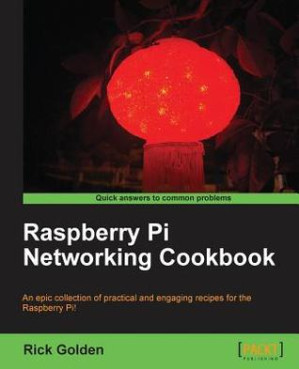
Raspberry Pi networking cookbook : an epic collection of practical and engaging recipes for the Raspberry Pi 🔍
Golden, Richard
Packt Publishing, Limited, New edition, 2013
英语 [en] · PDF · 11.4MB · 2013 · 📘 非小说类图书 · 🚀/lgli/lgrs/nexusstc/zlib · Save
描述
In Detail The Raspberry Pi is more than just a platform for teaching students how to program computers! The recipes in this book show you how this inexpensive computer can be used out of the box for a number of practical solutions that utilize existing networks and connectivity.
The Raspberry Pi Networking Cookbook is an essential reference full of practical solutions for use both at home and in the office. Beginning with step-by-step instructions for installation and configuration, this book can either be read from cover to cover or treated as an essential reference companion to your Raspberry Pi.
Full of practical and engaging content designed to expand and build upon your existing skills as you work through individual recipes, any computer novice can quickly learn how to become a Raspberry Pi expert without any programming knowledge required. The Raspberry Pi Networking Cookbook will allow you to revolutionize how you use technology on a daily basis, ranging from sharing your media across multiple devices to deploying your very own web portal, or even accessing your desktop remotely.
Approach Written in an accessible yet practical manner, the "Raspberry Pi Networking Cookbook" is the perfect companion guide for the ARM GNU/Linux box. From the moment you get your hands on your Raspberry Pi you can start to build your understanding with our specially selected collection of recipes.
Who this book is for This book is for anybody who wants to learn how they can utilize the Raspberry Pi to its full potential without having to immediately dive into programming. It's full of step-by-step instructions and detailed descriptions in language that is appropriate for computer enthusiasts and experts alike.
The Raspberry Pi Networking Cookbook is an essential reference full of practical solutions for use both at home and in the office. Beginning with step-by-step instructions for installation and configuration, this book can either be read from cover to cover or treated as an essential reference companion to your Raspberry Pi.
Full of practical and engaging content designed to expand and build upon your existing skills as you work through individual recipes, any computer novice can quickly learn how to become a Raspberry Pi expert without any programming knowledge required. The Raspberry Pi Networking Cookbook will allow you to revolutionize how you use technology on a daily basis, ranging from sharing your media across multiple devices to deploying your very own web portal, or even accessing your desktop remotely.
Approach Written in an accessible yet practical manner, the "Raspberry Pi Networking Cookbook" is the perfect companion guide for the ARM GNU/Linux box. From the moment you get your hands on your Raspberry Pi you can start to build your understanding with our specially selected collection of recipes.
Who this book is for This book is for anybody who wants to learn how they can utilize the Raspberry Pi to its full potential without having to immediately dive into programming. It's full of step-by-step instructions and detailed descriptions in language that is appropriate for computer enthusiasts and experts alike.
备用文件名
lgrsnf/Z:\Bibliotik_\A Library\Raspberry Pi Networking Cookbo - Rick Golden_784.pdf
备用文件名
nexusstc/Raspberry Pi Networking Cookbook/b5ab74c0891921ae06a71bf002d30184.pdf
备用文件名
zlib/Computers/Hardware/Golden, Richard/Raspberry Pi Networking Cookbook_10316448.pdf
备选作者
Richard Golden; Rick Golden
备用版本
Quick answers to common problems, Birmingham, 2013
备用版本
United Kingdom and Ireland, United Kingdom
备用版本
Packt Publishing, Birmingham, 2013
备用版本
Birmingham, UK, 2013
备用版本
1, 2013
元数据中的注释
lg2854980
元数据中的注释
{"edition":"new edition","isbns":["1849694605","9781849694605"],"last_page":204,"publisher":"Packt Publishing, Limited"}
备用描述
Cover......Page 1
Copyright......Page 3
Credits......Page 4
About the Author......Page 5
About the Reviewers......Page 6
www.PacktPub.com......Page 7
Table of Contents......Page 8
Preface......Page 10
Introduction......Page 16
Preparing for the initial boot......Page 18
Printing a case – the Punnet......Page 27
Setting up new SD cards......Page 31
Image writer for Windows cards (Win32DiskImager)......Page 34
Convert and copy for Linux (dd)......Page 36
Creating SD cards with BerryBoot......Page 39
Booting the "official" Raspbian Linux distribution......Page 46
Shutting down the Raspberry Pi (shutdown)......Page 50
Introduction......Page 54
Configuring remote access (raspi-config)......Page 55
Configuring memory usage (raspi-config)......Page 59
Remote access (ssh)......Page 62
Remote access (PuTTY)......Page 67
Changing the login password (passwd)......Page 71
Introduction......Page 74
Updating the operating system (apt-get)......Page 75
Searching for the software packages (apt-cache)......Page 83
Installing a package (apt-get)......Page 84
Package management (aptitude)......Page 88
Reading the built-in documentation (man)......Page 92
Reading the built-in documentation (info)......Page 95
Introduction......Page 100
Mounting USB drives (pmount)......Page 101
Sharing folders from other computers (mount.cifs)......Page 108
Automounting USB disks at boot (/etc/fstab)......Page 112
Automounting a shared folder at boot......Page 119
Creating a file server (Samba)......Page 123
Sharing an attached USB disk via Samba......Page 131
Accessing another computer's files (smbclient)......Page 134
Creating a firewall with ufw......Page 142
Connecting to the desktop remotely (xrdp)......Page 146
Installing a web server (Apache, lighttpd, Nginx)......Page 151
Installing a wiki (MediaWiki)......Page 163
Creating a wireless access point with hostapd......Page 179
Index......Page 194
Copyright......Page 3
Credits......Page 4
About the Author......Page 5
About the Reviewers......Page 6
www.PacktPub.com......Page 7
Table of Contents......Page 8
Preface......Page 10
Introduction......Page 16
Preparing for the initial boot......Page 18
Printing a case – the Punnet......Page 27
Setting up new SD cards......Page 31
Image writer for Windows cards (Win32DiskImager)......Page 34
Convert and copy for Linux (dd)......Page 36
Creating SD cards with BerryBoot......Page 39
Booting the "official" Raspbian Linux distribution......Page 46
Shutting down the Raspberry Pi (shutdown)......Page 50
Introduction......Page 54
Configuring remote access (raspi-config)......Page 55
Configuring memory usage (raspi-config)......Page 59
Remote access (ssh)......Page 62
Remote access (PuTTY)......Page 67
Changing the login password (passwd)......Page 71
Introduction......Page 74
Updating the operating system (apt-get)......Page 75
Searching for the software packages (apt-cache)......Page 83
Installing a package (apt-get)......Page 84
Package management (aptitude)......Page 88
Reading the built-in documentation (man)......Page 92
Reading the built-in documentation (info)......Page 95
Introduction......Page 100
Mounting USB drives (pmount)......Page 101
Sharing folders from other computers (mount.cifs)......Page 108
Automounting USB disks at boot (/etc/fstab)......Page 112
Automounting a shared folder at boot......Page 119
Creating a file server (Samba)......Page 123
Sharing an attached USB disk via Samba......Page 131
Accessing another computer's files (smbclient)......Page 134
Creating a firewall with ufw......Page 142
Connecting to the desktop remotely (xrdp)......Page 146
Installing a web server (Apache, lighttpd, Nginx)......Page 151
Installing a wiki (MediaWiki)......Page 163
Creating a wireless access point with hostapd......Page 179
Index......Page 194
开源日期
2020-11-29
🚀 快速下载
成为会员以支持书籍、论文等的长期保存。为了感谢您对我们的支持,您将获得高速下载权益。❤️
🐢 低速下载
由可信的合作方提供。 更多信息请参见常见问题解答。 (可能需要验证浏览器——无限次下载!)
- 低速服务器(合作方提供) #1 (稍快但需要排队)
- 低速服务器(合作方提供) #2 (稍快但需要排队)
- 低速服务器(合作方提供) #3 (稍快但需要排队)
- 低速服务器(合作方提供) #4 (稍快但需要排队)
- 低速服务器(合作方提供) #5 (无需排队,但可能非常慢)
- 低速服务器(合作方提供) #6 (无需排队,但可能非常慢)
- 低速服务器(合作方提供) #7 (无需排队,但可能非常慢)
- 低速服务器(合作方提供) #8 (无需排队,但可能非常慢)
- 低速服务器(合作方提供) #9 (无需排队,但可能非常慢)
- 下载后: 在我们的查看器中打开
所有选项下载的文件都相同,应该可以安全使用。即使这样,从互联网下载文件时始终要小心。例如,确保您的设备更新及时。
外部下载
-
对于大文件,我们建议使用下载管理器以防止中断。
推荐的下载管理器:JDownloader -
您将需要一个电子书或 PDF 阅读器来打开文件,具体取决于文件格式。
推荐的电子书阅读器:Anna的档案在线查看器、ReadEra和Calibre -
使用在线工具进行格式转换。
推荐的转换工具:CloudConvert和PrintFriendly -
您可以将 PDF 和 EPUB 文件发送到您的 Kindle 或 Kobo 电子阅读器。
推荐的工具:亚马逊的“发送到 Kindle”和djazz 的“发送到 Kobo/Kindle” -
支持作者和图书馆
✍️ 如果您喜欢这个并且能够负担得起,请考虑购买原版,或直接支持作者。
📚 如果您当地的图书馆有这本书,请考虑在那里免费借阅。
下面的文字仅以英文继续。
总下载量:
“文件的MD5”是根据文件内容计算出的哈希值,并且基于该内容具有相当的唯一性。我们这里索引的所有影子图书馆都主要使用MD5来标识文件。
一个文件可能会出现在多个影子图书馆中。有关我们编译的各种数据集的信息,请参见数据集页面。
有关此文件的详细信息,请查看其JSON 文件。 Live/debug JSON version. Live/debug page.